A dedicated Beats headphone stand is an essential investment for protection, organization, and aesthetic presentation, preventing damage like scratches, flattened earcups, and tangled cables. These stands provide a safe, stylish, and functional home, ensuring your Beats are always ready and looking their best. As an audio enthusiast and engineer with over a decade in designing premium sound accessories, I’ve seen firsthand how a small detail can make a massive difference in preserving high-quality audio gear.
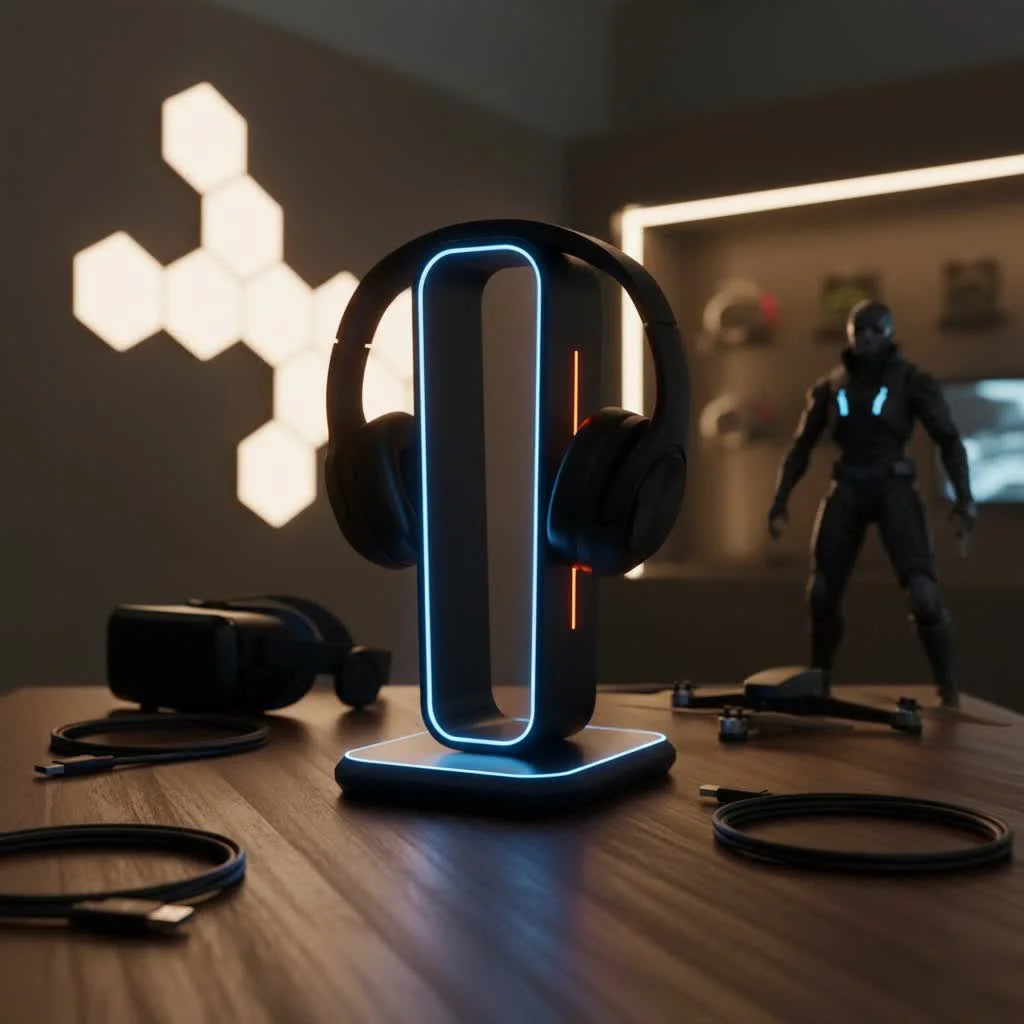
Tossing your Beats onto your desk, hanging them precariously over your monitor, or stuffing them into a drawer invites damage. Scratches, flattened earcups, strained headbands, and tangled cables are the silent enemies of your audio experience. A purpose-built headphone stand, however, provides a safe, stylish, and functional home, ensuring your Beats are always ready to go and looking their best.
Why Your Beats Headphones Deserve a Dedicated Stand
Let’s be honest, your Beats headphones weren’t cheap, and they certainly weren’t designed to be neglected. Here’s why giving them a proper perch is a major upgrade:
Unparalleled Protection from Daily Wear and Tear
Leaving your headphones lying around exposes them to a many threats – accidental knocks, spills, dust accumulation, and even the subtle degradation of their pristine finish. A quality Beats headphone stand cradles your headphones securely, lifting them off surfaces and away from potential hazards. Many stands feature soft, padded surfaces, often made of materials like TPU rubber or silicone, that prevent scratches to the earcups and protect the headband from unsightly indentations and warping over time. This gentle support ensures the structural integrity and aesthetic appeal of your Beats remain intact for years to come.
Declutter Your Space, Clear Your Mind
Is your workspace a battlefield of cables, devices, and general clutter? A headphone stand acts as a central hub, giving your Beats a designated spot. This simple act of organization transforms your desk from chaotic to calm, fostering a more productive and enjoyable environment. No more searching for your headphones or untangling a mess of wires; they’re right where you expect them, every single time.
Showcase Your Style: Aesthetics Meets Audio
Beats headphones are renowned for their iconic design and premium finish. Why hide them away or let them become part of the background noise? A well-chosen Beats headphone stand acts as a pedestal, transforming your headphones into a display piece that complements your personal style and enhances the overall look of your setup. Whether you prefer a minimalist wood design, a sleek metallic finish, or a stand with dynamic RGB lighting, there’s a perfect match to improve your aesthetic.
The Anatomy of a Perfect Beats Headphone Stand
When selecting a stand for your Beats, it’s not a one-size-fits-all scenario. Understanding the key features and design considerations will help you make an informed choice that truly meets your needs.
Stability and Construction: A Solid Foundation
|
Our Picks for the Best Headphone Stand in 2026
As an Amazon Associate I earn from qualifying purchases.
|
||
| Num | Product | Action |
|---|---|---|
| 1 | NEETTO HS906 Headphone Stand & Hanger 2 in 1, Above & Under Desk Gaming Headset Holder Mount Hook with Height Adjustable & Rotating Clamp, Earphone Rack with Cable Clip |

|
| 2 | Avantree HS102 - Metal & Silicone Headphone Stand Hanger with Cable Holder, Black Desk Earphone Mount Rack, Fancy Music Studio Accessories |
|
| 3 | NIRVASH Walnut Headphone Stand, Wooden Headset Stand for Desk, Wood Gaming Headphone Holder with Storage Base for Airpod max, Bose, Razer, Sennheiser, Jabra, JBL, AKG, Vintage Gift for Men |
|
| 4 | Headphone Stand, Curved Headset Stand with Storage Tray, Heavy Base Gaming Headset Holder for AirPods Max, AirPods, AirPods Pro, Beats, Bose, Sennheiser, Sony and More (White) |
|
| 5 | QinCoon Headphone Stand, Walnut Wood & Aluminum Headset Stand, Nature Walnut Gaming Headset Holder with Solid Heavy Base for All Headphone Sizes (Black) |
|
| 6 | NIRVASH Walnut Headphone Stand, Wood Headset Stand for Desk, Wooden Universal Headphone Holder with Storage Base for Gaming, AirPods Max, Bose,Razer, Sennheiser (Black) |
|
| 7 | COREMINDED Universal Headphone Stand for Desk, Solid Wood Gaming Headset Stand, Heavy Duty Wooden Headphones Holder, Compatible with Airpods Max and More |
|
| 8 | New bee Headphone Stand Headset Holder Earphone Stand with Aluminum Supporting Bar Flexible Headrest ABS Solid Base for All Headphones Size (Black) |
|
| 9 | KDD Dual Headphone Stand for Desk - Rotatable Headset Hanger with Phone Holder - Removable Non-Slip Base for Gamers Desktop Accessories |
|
| 10 | Lamicall Headphone Stand, Desktop Headset Holder - Desk Earphone Stand, for All Headsets Such as Airpods Max, HyperX Gaming Headphones, Beats/Sennheiser Music Headphones - Black |
|
The last thing you want is a wobbly stand that sends your expensive Beats crashing to the floor. Look for stands with a wide, weighted base and anti-slip feet to ensure maximum stability. Materials like solid aluminum or steel provide excellent durability and a reassuring heft. For a touch of natural elegance, stands crafted from quality wood, like walnut, offer both robustness and a sophisticated appearance. As the saying goes, “A strong foundation is half the battle won,” and this couldn’t be truer for protecting your valuable audio gear.
Ergonomics and Padding: Gentle Care for Your Cups
The contact points between your headphones and the stand are crucial. A stand should feature a contoured cradle or a wide, flat surface with soft padding – such as rubber, silicone, or leatherette – to distribute weight evenly across the headband. This prevents pressure points that can lead to indentations or damage to the headband padding, a common issue with poorly designed stands. The goal is to mimic the natural resting position of your headphones, minimizing stress on all components.
Universal Compatibility vs. Tailored Fit
While many generic stands claim “universal compatibility,” Beats headphones, especially models like the Studio3 and Studio Pro, often have a slightly wider earcup profile. Some stands are specifically engineered with adjustable widths or wider cradles to perfectly accommodate these dimensions, providing a snug and secure fit without pinching or leaving them too loose. Always check reviews or product specifications to ensure a particular stand is known to work well with your specific Beats model.
Beyond the Basics: Features That improve your Stand
Modern headphone stands offer much more than just a place to hang your gear. They can become true command centers for your desk.
Integrated Charging Solutions: Power Up with Ease
For wireless Beats users, a charging stand is a major upgrade. Imagine simply placing your headphones on their stand and knowing they’re powering up, ready for your next session. While most integrated wireless charging pads are designed for smartphones, many advanced stands feature built-in USB-A and USB-C ports, allowing you to charge your Beats directly via cable, alongside other devices like your phone or smartwatch. The Twelve South Fermata, for instance, exemplified this with a flexible, reversible micro USB cable that could be hidden away for a clean look, even providing an extra USB-A port for other devices.
Smart Cable Management: Tidy Wires, Tidy Mind
Nothing ruins a sleek setup faster than a spaghetti junction of cables. Many stands now incorporate clever cable management channels, clips, or bases with storage compartments to keep your charging cables neatly tucked away and out of sight. This not only enhances the aesthetic appeal but also prevents tangles and damage to your cables.
Additional Functionality: The Swiss Army Knife of Stands
Some stands go the extra mile with features like:
- RGB Lighting: For gamers or those who love a vibrant setup, stands with customizable RGB lighting can add a dynamic flair to your space.
- Headset and Controller Holders: Dedicated gaming stands often include hooks for game controllers, providing a comprehensive storage solution for your entire gaming setup.
- USB Hubs: improve your stand into a mini docking station with multiple USB ports for data transfer, connecting peripherals, and charging.
“A well-designed headphone stand isn’t just about holding your headphones; it’s about creating an integrated ecosystem that protects your investment, keeps you organized, and enhances your daily ritual,” says Alex Chen, our lead product engineer here at MXJFY. “We believe every interaction with your audio gear should be seamless and enjoyable.”
Types of Headphone Stands Perfect for Your Beats
Let’s explore the popular styles you’ll encounter:
The Classic Desktop Stand
These are the most common, designed to sit elegantly on your desk. They come in various materials from minimalist aluminum to sophisticated wood, offering a clean, open display for your Beats. Many prioritize stability with weighted bases and protective contact points.
Under-Desk and Clamp-On Mounts
If desk space is at a premium, an under-desk or clamp-on mount is an excellent solution. These save valuable surface area by attaching to the underside or side of your desk. Features like 360-degree rotation and folding arms offer flexibility, allowing you to swing your headphones out for easy access or tuck them away when not in use.
Retractable and Wall-Mounted Holders
For ultimate space-saving and robust protection, consider a retractable or wall-mounted holder. These solutions prevent accidental bumps and falls, often featuring spring-loaded arms that gently support your headphones and prevent cable tugs. Some models offer adjustable widths, perfect for accommodating the specific earcup dimensions of various Beats models. This is a fantastic option for high-traffic areas or for keeping your desk entirely clear.
Choosing the Right Beats Headphone Stand: A Checklist
Ready to find the perfect home for your Beats? Use this checklist to guide your decision:
- Stability: Does it have a weighted base and anti-slip feet?
- Protection: Is the cradle padded with soft material (rubber, silicone, TPU) to prevent scratches and headband indentations?
- Compatibility: Will it comfortably fit your specific Beats model (Studio, Solo, etc.) without pinching or excessive wobble?
- Features: Do you need charging ports (USB-A, USB-C, wireless), cable management, or other extras like RGB lighting or controller hooks?
- Material & Design: Does it match your aesthetic preference and desk setup (wood, metal, acrylic)?
- Space: Do you prefer a desktop stand, an under-desk mount, or a wall-mounted solution?
Frequently Asked Questions About Beats Headphone Stands
Q: Do Beats headphones really need a stand?
A: While not strictly necessary for functionality, a stand is highly recommended to protect your investment, prevent physical damage (scratches, scuffs, headband deformation), keep your workspace organized, and showcase their premium design.
Q: Can a universal headphone stand work for Beats?
A: Many universal stands will work, but it’s important to check the design. Beats headphones, especially over-ear models, can have a wider profile. Look for stands with wider cradles or adjustable arms to ensure a proper, non-pinching fit that supports the earcups and headband correctly.
Q: Are charging headphone stands safe for Beats?
A: Yes, reputable charging stands are designed with safety in mind, offering features like overvoltage and overcharge protection. Many simply provide USB ports for you to connect your Beats’ charging cable, rather than wirelessly charging the headphones themselves. Always use quality accessories and follow manufacturer guidelines.
Q: What materials are best for a Beats headphone stand?
A: The best materials balance aesthetics, durability, and protection. Aluminum and steel offer sleekness and strength, often with rubber or silicone padding. Quality wood, like walnut, provides a natural, elegant look. TPU rubber and silicone are excellent for cradles due to their soft, non-abrasive properties.
Q: How can a headphone stand help with cable management for wireless Beats?
A: Even wireless Beats need charging. Many modern stands feature integrated cable channels, clips, or hollow posts to route charging cables neatly, keeping them out of sight. Some even have small trays or compartments in the base to store coiled cables or small accessories.
Final Thoughts: Invest in Protection, Enjoy Your Sound
Your Beats headphones are more than just a piece of technology; they’re your gateway to immersive sound, focus, and personal enjoyment. Investing in a high-quality Beats headphone stand is a small step that yields significant returns in protection, organization, and aesthetic pleasure. It’s about respecting your gear and enhancing your entire audio experience. Choose wisely, and give your Beats the home they truly deserve.
Frequently Asked Questions
Do Beats headphones truly require a dedicated stand for optimal care?
While not strictly necessary for basic functionality, a stand is highly recommended to protect your investment from physical damage like scratches, scuffs, and headband deformation. It also helps keep your workspace organized and showcases the premium design of your Beats headphones, extending their lifespan and maintaining their aesthetic appeal.
Can a generic universal headphone stand adequately support Beats models?
Many universal stands can work, but it's crucial to check the design carefully. Beats headphones, especially over-ear models such as the Studio3 and Studio Pro, often have a wider earcup profile. Look for stands with wider cradles or adjustable arms to ensure a proper, non-pinching fit that correctly supports both the earcups and the headband.
Are charging headphone stands safe to use with Beats headphones?
Yes, reputable charging stands are designed with safety features like overvoltage and overcharge protection to prevent damage. Many stands simply provide USB-A or USB-C ports for you to connect your Beats' existing charging cable, rather than offering wireless charging directly to the headphones. Always use quality accessories and adhere to manufacturer guidelines for safe operation.
What are the most recommended materials for a durable Beats headphone stand?
The best materials for a Beats headphone stand balance aesthetics, durability, and protection. Aluminum and steel offer sleekness and strength, often complemented by rubber or silicone padding at contact points. Quality woods like walnut provide a natural, elegant look, while TPU rubber and silicone are excellent for cradles due to their soft, non-abrasive properties that prevent scratches and indentations.
How do headphone stands assist with cable management for wireless Beats?
Even wireless Beats headphones require charging. Many modern stands feature integrated cable channels, clips, or hollow posts to neatly route charging cables, keeping them out of sight and preventing tangles. Some stands also include small trays or compartments in the base to store coiled cables or other small accessories, contributing to a cleaner desk setup.
Choose the Right Beats Headphone Stand
Selecting the perfect headphone stand for your Beats involves considering several key factors to ensure protection, stability, and aesthetic appeal.
Look for stands with a wide, weighted base and anti-slip feet to prevent accidental falls. Materials like solid aluminum, steel, or quality wood (e.g., walnut) offer excellent durability and a reassuring heft, ensuring your expensive Beats are securely held.
Ensure the stand features a contoured cradle or a wide, flat surface with soft padding, such as rubber, silicone, or leatherette. This padding distributes weight evenly across the headband, preventing pressure points that can lead to indentations or damage over time.
While many stands are universal, Beats headphones, especially models like Studio3 and Studio Pro, can have a wider earcup profile. Opt for stands with adjustable widths or wider cradles specifically designed to accommodate these dimensions for a snug and secure fit without pinching.
Decide if you need integrated charging solutions (USB-A, USB-C ports), smart cable management channels, or additional functionalities like RGB lighting, headset/controller holders, or USB hubs. These features can transform your stand into a more versatile desk accessory.
Choose a stand whose material and design complement your personal style and desk setup. Options range from minimalist aluminum and sleek steel to sophisticated wood or vibrant acrylic, ensuring your stand enhances the overall look of your audio station.
Get our weekly buyer guide
Practical specs, not advice. Unsubscribe anytime.

As someone who’s invested a lot in high-quality audio gear, I totally get the importance of protecting it. This stand is an essential investment for my Beats. It keeps the headband from getting strained and ensures they’re always ready to go. It’s a small detail, but it makes a massive difference in preserving my headphones.
I was skeptical about needing a dedicated stand for my Beats, but after reading about how it prevents tangled cables, I decided to try one. It’s actually made a huge difference! No more fumbling with knots before a gaming session. The aesthetic presentation is a nice bonus too, it really elevates my whole desk.
I used to just toss my Beats onto my desk, and I’ve definitely noticed some wear and tear over time. Getting a proper Beats headphone stand has been a game-changer for keeping them in pristine condition. It really does prevent those annoying scratches and keeps the earcups from getting flattened. Plus, my setup looks so much cleaner now.
The stand I got is pretty good for keeping my Beats organized and off my monitor. I do wish it was a bit heavier though; sometimes when I grab my headphones quickly, the stand shifts a little. It’s not a huge deal, but a more stable base would make it perfect. Still, it’s better than stuffing them in a drawer.